Top Scrivener Alternatives for Android & Web (Offline & Free)
Why Literature & Latte never made an Android app, what features novelists actually miss, and the best modern writing apps that fill the gap in 2027.
1. The Missing Scrivener Android App
For over fifteen years, Scrivener by Literature & Latte has been the gold standard for desktop novel drafting. Its virtual corkboard, flexible binder hierarchy, and compile engine revolutionized long-form fiction writing.
Yet despite overwhelming demand, Literature & Latte has repeatedly stated that an Android version of Scrivener is not in development. For authors who write on Android tablets with keyboards, Samsung DeX setups, folding phones, or Chromebooks, this leaves a gaping void.
2. What Writers Actually Need from Scrivener
When fiction authors search for a Scrivener alternative, they aren't looking for another Google Docs clone. They specifically require:
- Hierarchical Project Organization: Breaking a 90,000-word book into manageable volumes, chapters, and scenes.
- Integrated Research & Story Bible: A place to store character notes, location profiles, and timeline events alongside the manuscript.
- Complete Offline Operation: The ability to write anywhere—in remote cabins, on airplanes, or during transit—without internet dropouts freezing the editor.
- Clean Multi-Format Export: Compiling scenes into Word (.docx), EPUB, Markdown, or plain text for submission to editors and beta readers.
3. Top Scrivener Alternatives Compared
Here is how the top modern writing suites compare across Android, Chromebooks, and Web browsers:
| App | Platforms | Offline Support | Story Bible | Pricing Model |
|---|---|---|---|---|
| Inkspine | Android, Web PWA | ✓ 100% Local-First | ✓ Built-in Cast & Lore | Free / Local Storage |
| Novelist | Android, iOS, Web | ✓ Yes | ✓ Detailed metadata | Free |
| Dabble Writer | Web, Desktop | Limited sync cache | ✓ Story notes | $10–$20 / month |
| Obsidian | Android, iOS, Desktop | ✓ Yes (Markdown) | Requires complex plugins | Free / Paid Sync |
4. Why Inkspine is the Strongest Android & Web Contender
Inkspine addresses the core pain points of writing long-form fiction on modern portable devices:
- Native Android App & Web PWA: Install the native Android app from Google Play, or open the web app instantly in any browser. It launches fast and never asks you to endure sluggish browser tabs.
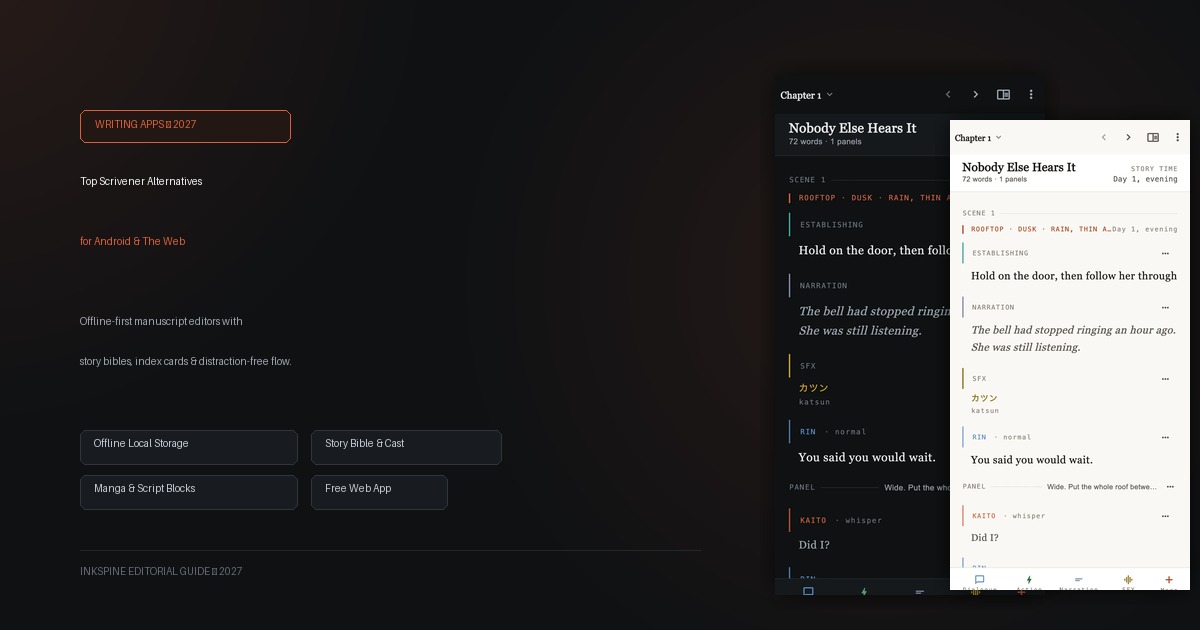
- Block-Based Fiction Editor: Switch effortlessly between character dialogue, narrative prose, panel breaks, and action beats. No more manual tab formatting.
- True Privacy & Local Storage: Projects stay in your device's private storage. You never need an account just to start a novel draft.
- Dark & Paper Themes: Enjoy a calming, hand-tuned aesthetic that mimics fine book printing, saving your eyes during long nighttime sprints.
Experience distraction-free fiction writing.
Start writing your novel or script right now on Android or in your browser. All private projects remain in local storage on your device.
5. How to Move Existing Projects to Inkspine
Migrating from Scrivener or Google Docs is straightforward:
- In your existing writing software, export your manuscript as Markdown or Plain Text (.txt).
- In Inkspine, create a new project and set your story format (Novel, Manga, Webtoon, or Screenplay).
- Paste or import your chapter text into Inkspine’s structured scene blocks.
- Populate your character cast and world notes in the story bible view for instant reference while drafting.
6. Final Verdict
If you want a dedicated fiction drafting app on Android or in the browser without locking yourself into expensive recurring subscriptions or fragile sync setups, Inkspine provides the cleanest, most focused writing environment available today.